標題:
[分享]
免App使用Instagram教學 - 8 steps follow chungshersher
[打印本頁]
作者:
Man
時間:
2012-4-4 22:07
標題:
免App使用Instagram教學 - 8 steps follow chungshersher
萬眾期待的Android版Instagram終於登場,相信有更多朋友們可以即時受惠,可以馬上經Instagram App follow Sherman chungshersher
r" r- a- I9 v
但除了使用智能手機,其實仍有其他方法可以瀏覽Instagram
% z+ Z) ?* l) c/ u4 O0 }
現在就馬上教大家如何免App 8 steps follow chungshersher
0 t' O) q) T6 F: a# F m. e
3 R6 d) m9 e1 E3 P
! k8 _/ |6 D. ^/ w
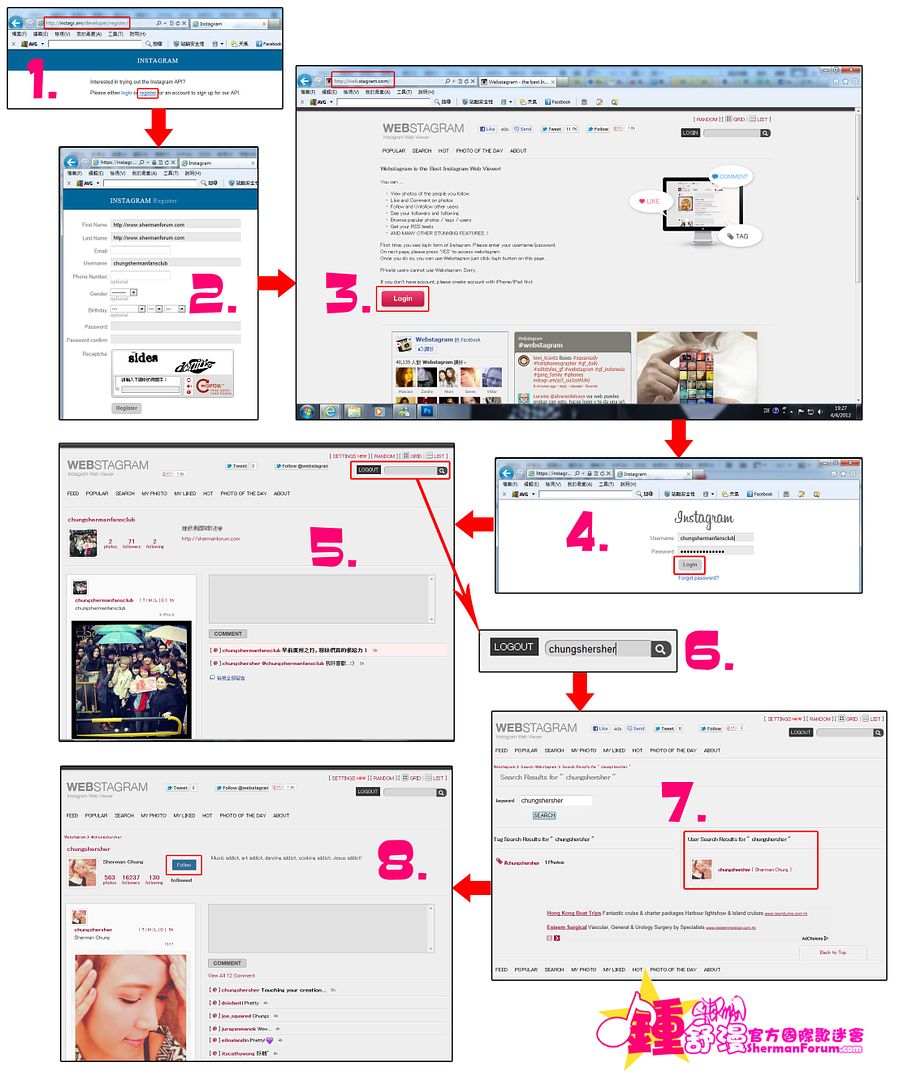
1. 未有帳戶者可登入
http://instagr.am/developer/register/
註冊新帳戶
www.forum.chungsherman.com* B1 v3 A& O2 ~; R
2. 填好所需資料(注意用戶名沒有大小寫之分),然後按"Register"註冊新帳戶
- r& `4 x* c8 U& n1 @! Rwww.forum.chungsherman.com
3. 完成註冊新帳戶後,登入
http://web.stagram.com
並按"Login"
( U1 v% \" ]; H I' w) v2 Y
4. 使用剛註冊的Instagram帳戶登入
www.forum.chungsherman.com- j5 I# P! s" ]7 L' J6 ?# C1 {
5. 現在,你可以尋找你想Follow的用戶了
; ~: E1 G5 I) x6 N
6. 在webstagram頁面右上方、Logout鍵旁的搜尋框輸入你想Follow的用戶帳戶名,然後按右邊的放大鏡一下
7 _6 r3 x8 h1 E- Y
7. 搜尋用戶的結果會在搜尋結果頁面的右邊顯示,按用戶名即可進入該用戶的頁面(如果用戶有設置私隱保護則無法進入)
$ k8 B4 |' a+ Q8 i" z1 I kSherman Forum 鍾舒漫國際歌迷論壇
8. 進入該用戶的頁面後就可以按"Follow"開始追蹤喇
: e( O8 G8 }0 c$ {" D" d' ]
www.forum.chungsherman.com3 r# O. t1 t. E% p
. n9 [: O- k( r6 ~# R
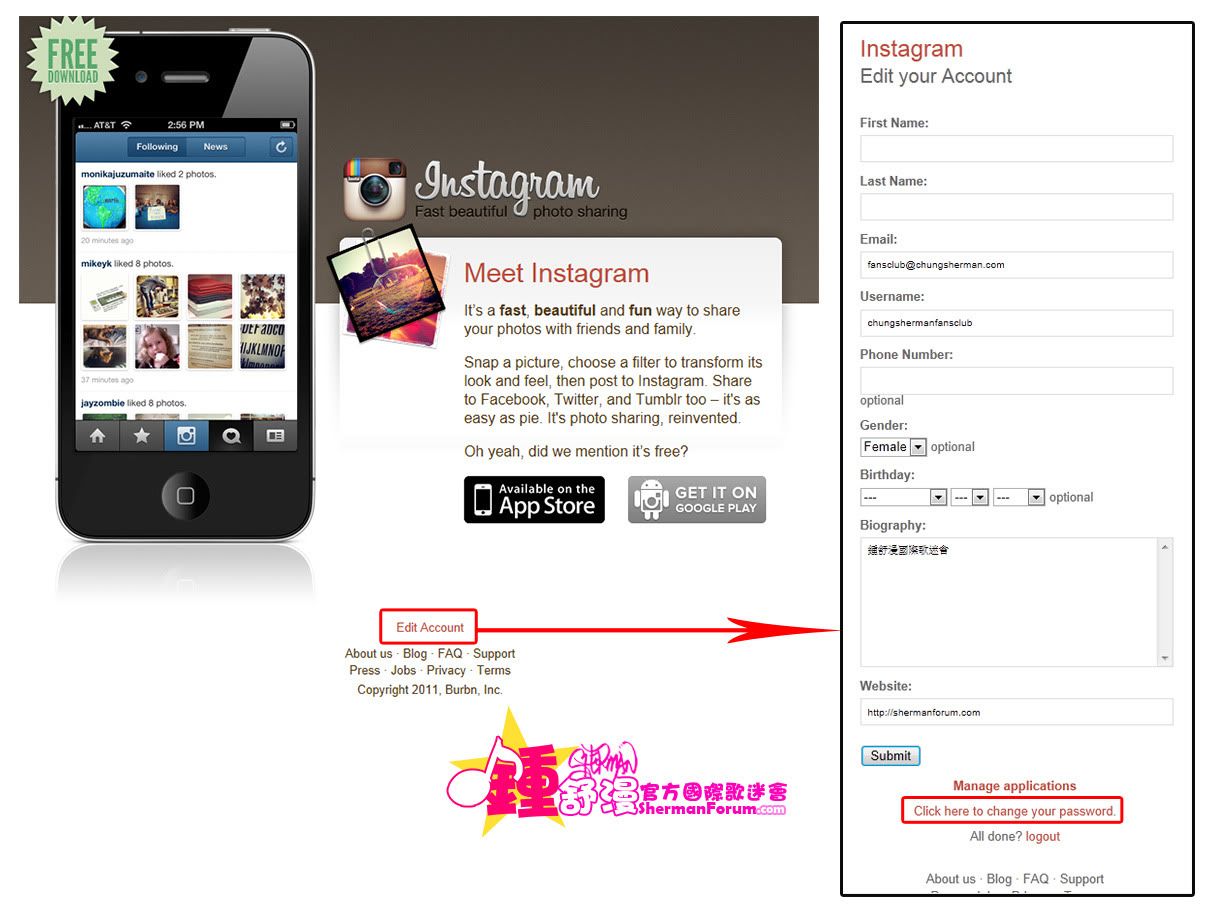
如要更改個人資料或密碼,可在Instagram主頁
http://instagr.am
下方的"
Edit Account
"進入修改頁
) r, r# {2 q& T( r8 ?$ q* S7 J
歡迎光臨 Sherman Forum 鍾舒漫國際歌迷論壇 (http://www.forum.chungsherman.com/)
Powered by Discuz! 6.0.0


 0 t' O) q) T6 F: a# F m. e
 : e( O8 G8 }0 c$ {" D" d' ]
 www.forum.chungsherman.com3 r# O. t1 t. E% p
 ) r, r# {2 q& T( r8 ?$ q* S7 J